Pipeline Expansion by Signal: A Step-by-Step Clay + Sumble Playbook
2026-05-15
Qwickly had ~950 warm university prospects that had expressed prior interest and were never worked. No usable contact data. No enrichment. No bandwidth to pull the core team off renewals.
The question wasn't whether to run outbound. It was whether outbound could be validated cheaply enough to justify scaling it.
The answer was yes — using Clay as the campaign control plane and Sumble as the signal layer.
Here's the exact playbook.
The setup: why most outbound on stale lists fails
Generic messaging. No LMS context. No persona targeting. Contacts that were never the right people to begin with.
The fix isn't more volume. It's better signal before you touch a single contact.
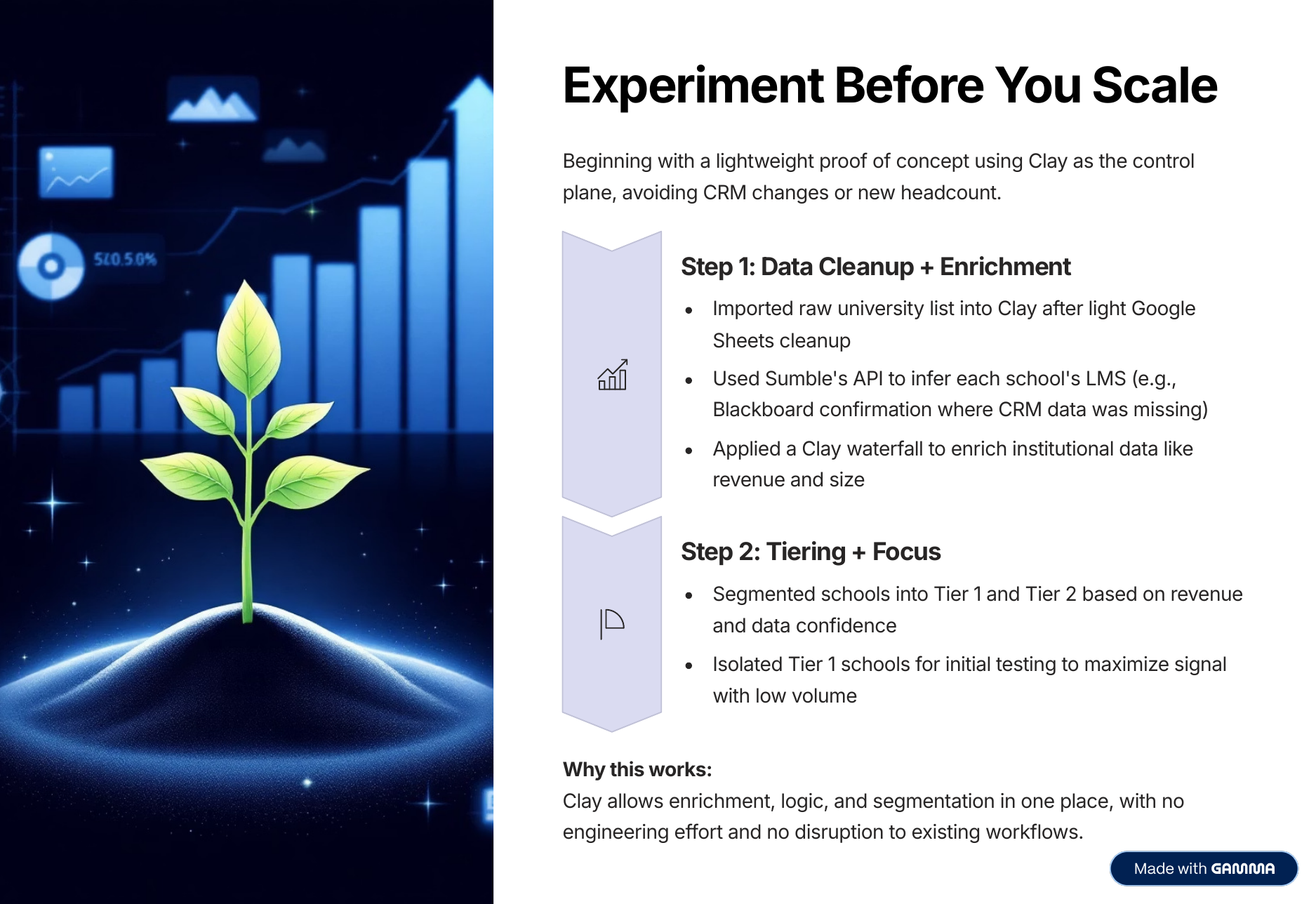
The principle: start small, prove signal, then scale deliberately. Run 50–150 accounts first. Only expand when the numbers justify it.
Step 1: Import and clean the raw list
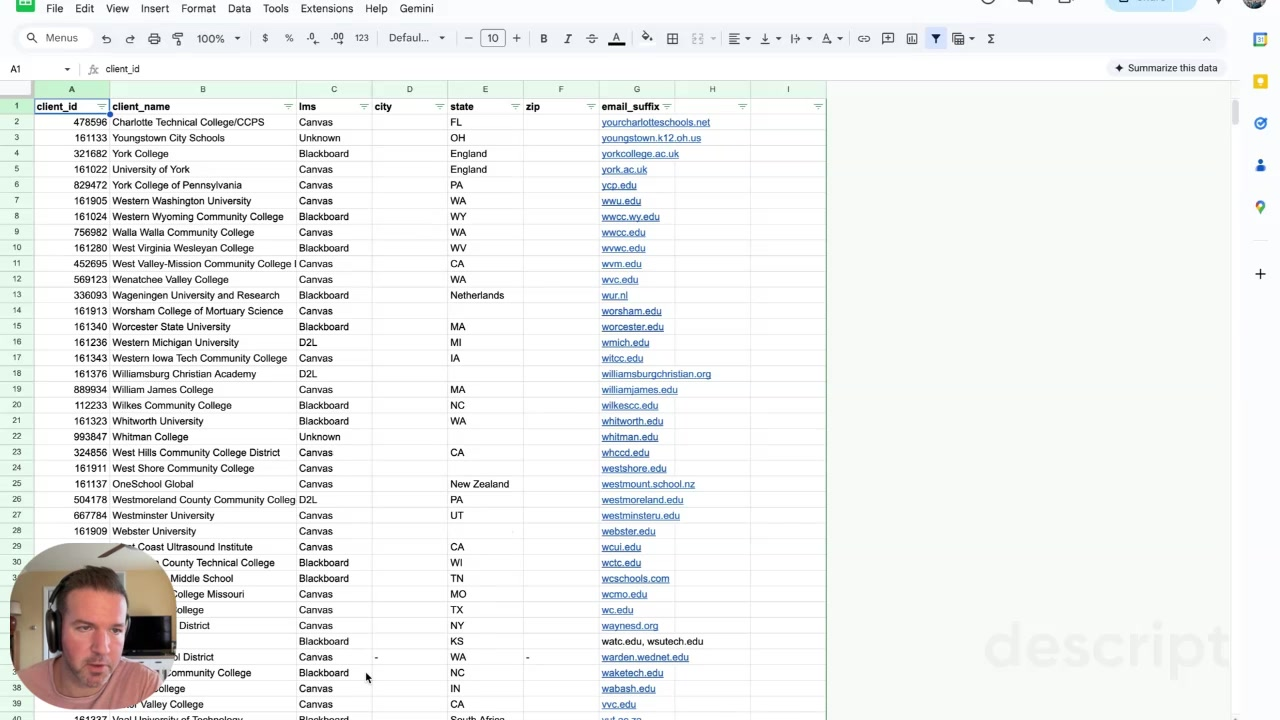
Pull your account list into Google Sheets first. Clean it enough to be useful: institution name, domain (email suffix), city, state, LMS if known.
Then import into Clay. You need four base columns before enrichment starts:
- Institution name
- Domain / email suffix
- LMS (from CRM — often missing or stale)
- Revenue or size proxy (often blank)
This is your raw universe. Nothing goes out from here.
Step 2: Use Sumble to confirm the LMS signal
This is the key step most teams skip. Before you find contacts, prove the account belongs in the campaign.
Make a Clay HTTP call to Sumble's organization enrichment endpoint:
{
  "organization": { "domain": "{{email_suffix}}" },
  "filters": {
    "query": "technology_category EQ 'learning-management-systems'"
  }
}
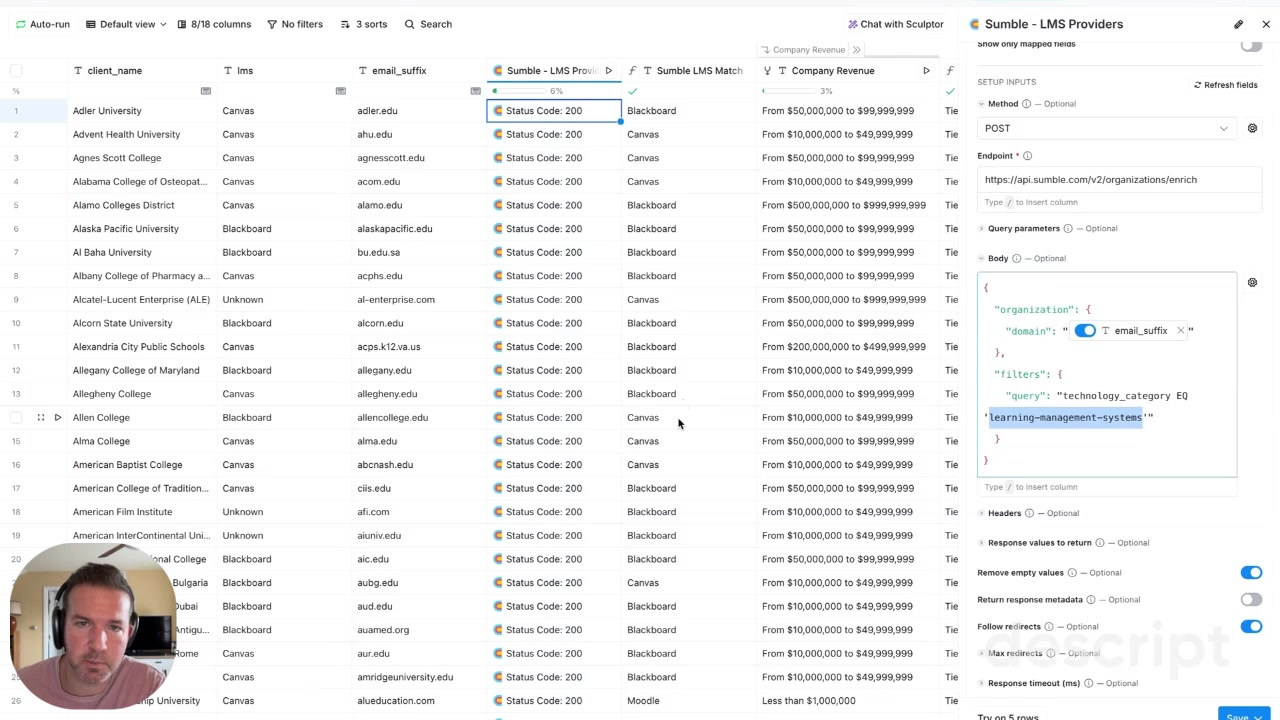
Map the response back into Clay columns: LMS match, revenue, confidence score. This confirms (or kills) the account's place in the campaign before you spend a single enrichment credit on people.
Step 3: Tier accounts before touching contacts
Write a Clay formula that checks two conditions:
- LMS match includes Canvas or Blackboard
- Revenue > $500M
If both are true → Tier 1. Everything else → Tier 2 or hold.
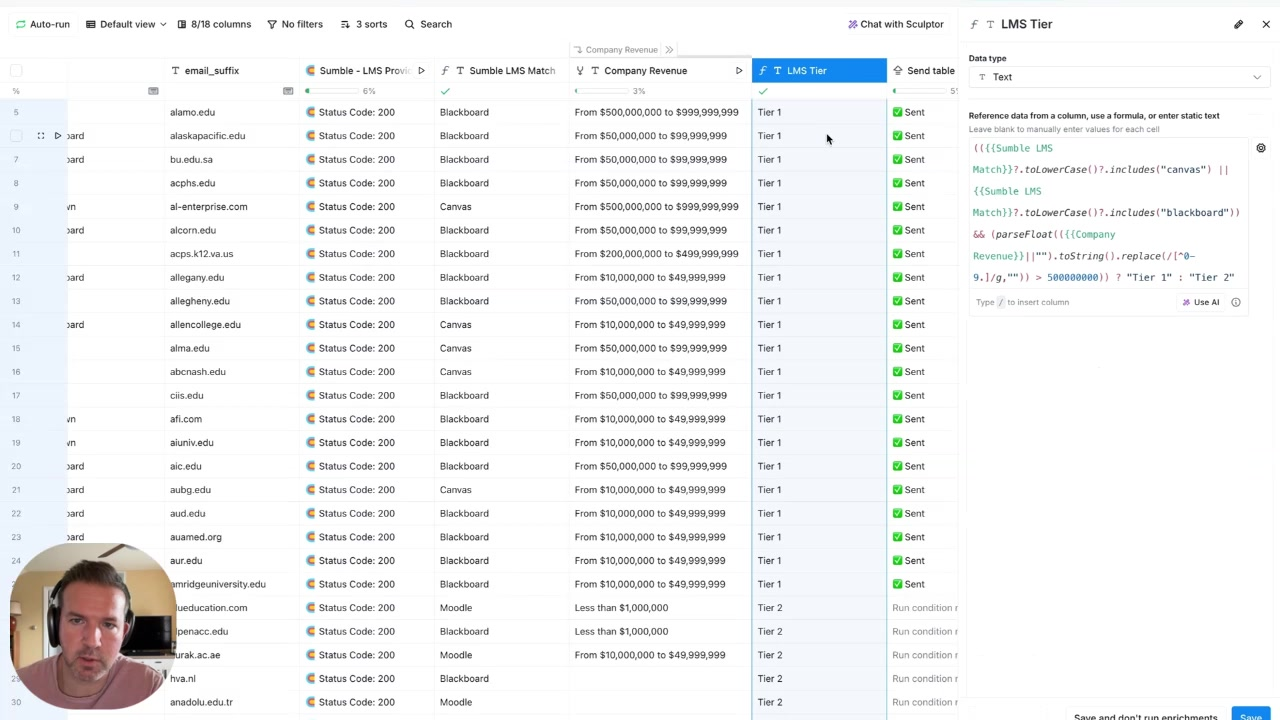
Only Tier 1 moves forward. This is where most outbound systems break down — they enrich contacts on every account instead of earning it. Don't enrich people until the account has cleared the bar.
Step 4: Find people close to the workflow
For Tier 1 accounts only, make a second Sumble call — this time to the people search endpoint:
{
  "organization": { "domain": "{{email_suffix}}" },
  "job_functions": ["Learning & Development"],
  "job_levels": ["Director", "Manager", "Individual Contributor"]
}
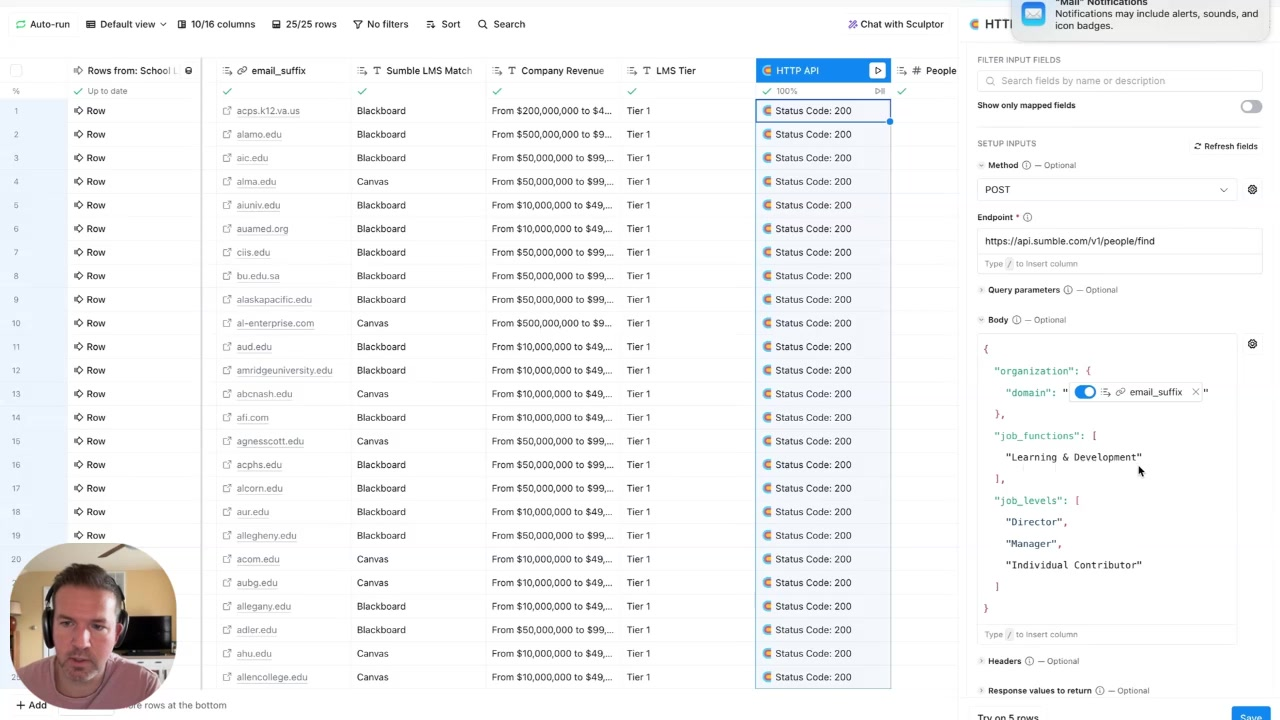
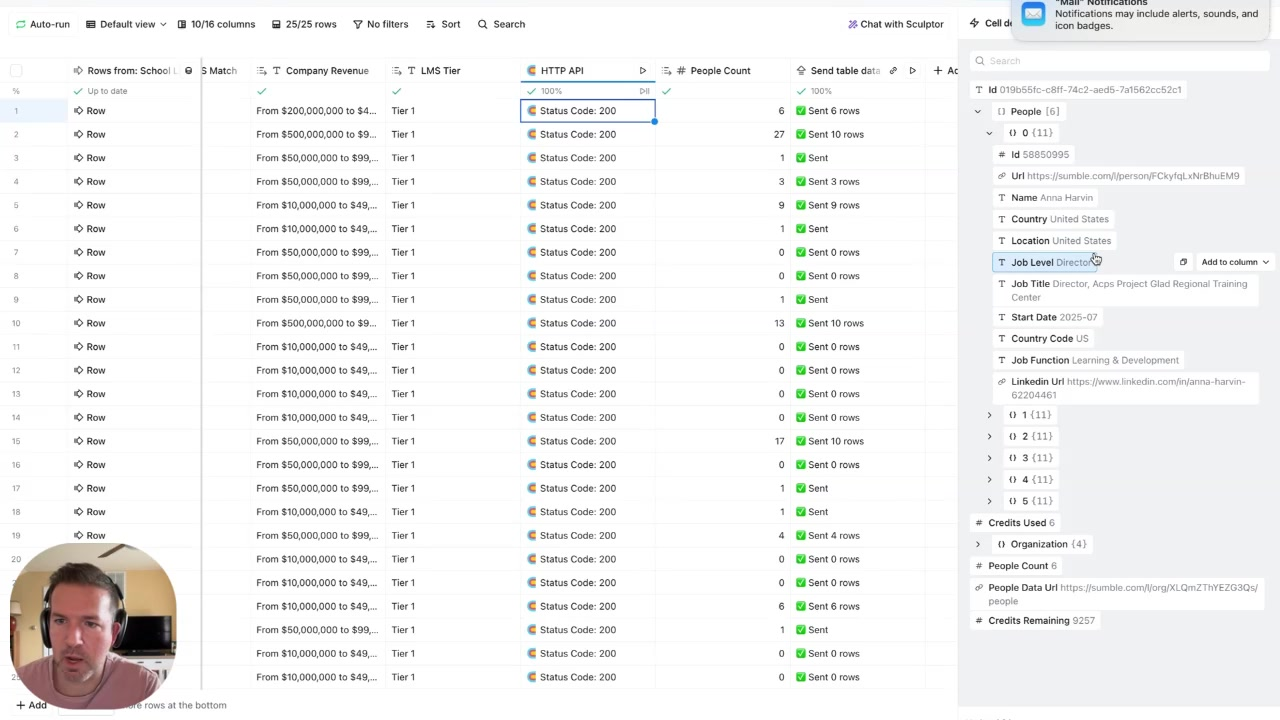
The raw results will include noise. Add inclusion logic for roles that are actually close to LMS workflows:
- Instructional technology / educational technology
- Academic technology / teaching and learning
- LMS administrator / instructional design
- Online learning / faculty development
And exclude titles that aren't buyers: student worker, peer mentor, athletic coach, intern.
Check people count per account. A Tier 1 school with 8 relevant contacts is a different object than one with 1 weak match — route them differently.
Step 5: Generate copy from the evidence, not from trivia
Use Clay + OpenAI to write personalized intros. The prompt matters. Don't ask it to "write a friendly intro using anything you can find." Ask it to:
Use the institution name, LMS match, job title, and role context. Connect to the likely workflow pain. Skip personal details unless they're directly relevant to the professional reason for outreach.
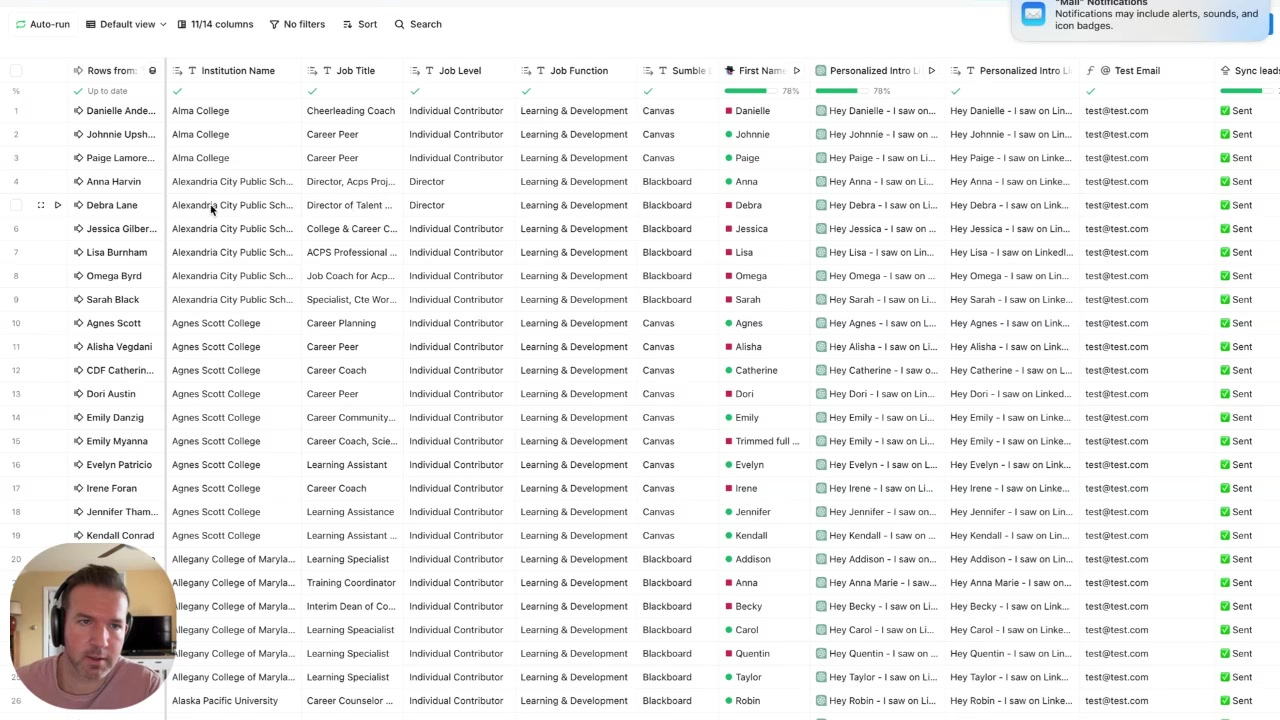
The goal is not to sound personalized. It's to sound informed.
Step 6: Run a 3-step sequence anchored to the LMS
Email 1 sets the hook — institution name, LMS, specific workflow angle. Email 2 goes deeper on operational pain. Email 3 uses proof or a comparable use case. Add a LinkedIn touch between emails 2 and 3 — keep it short, reference the workflow, ask if they're the right person.
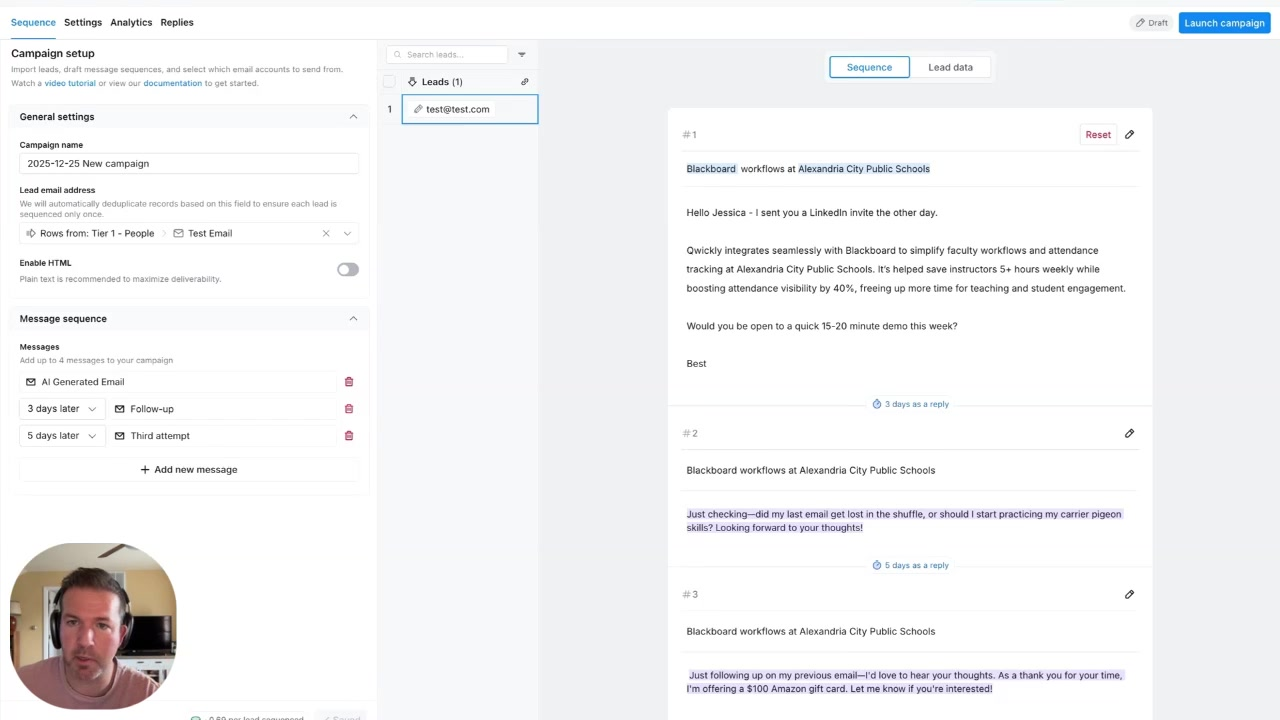
Avoid gift card incentives with school or public-sector buyers. Compliance risk isn't worth the open rate bump.
What good looks like
This PoC is measured on signal quality, not volume.
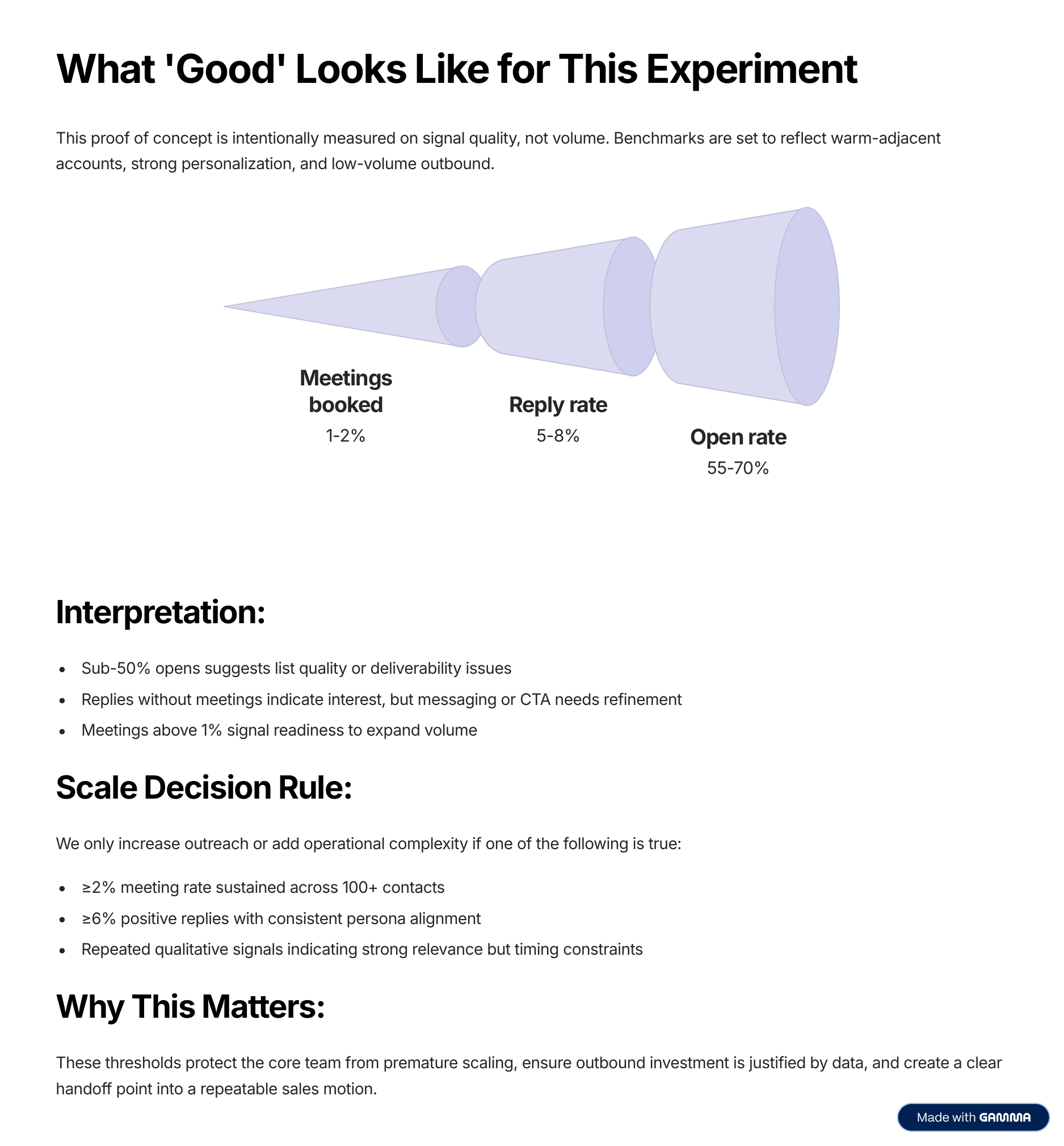
| Metric | Target | | --- | --- | | Open rate | 55–70% | | Reply rate | 5–8% | | Meetings booked | 1–2% |
Interpretation:
- Sub-50% opens → list quality or deliverability problem
- Replies without meetings → messaging or CTA needs work
- Meetings above 1% → ready to expand volume
Scale decision rule: only increase complexity if you hit ≥2% meeting rate across 100+ contacts, or ≥6% positive replies with consistent persona alignment.
From experiment to operating motion
If the PoC works, the path forward is deliberate.
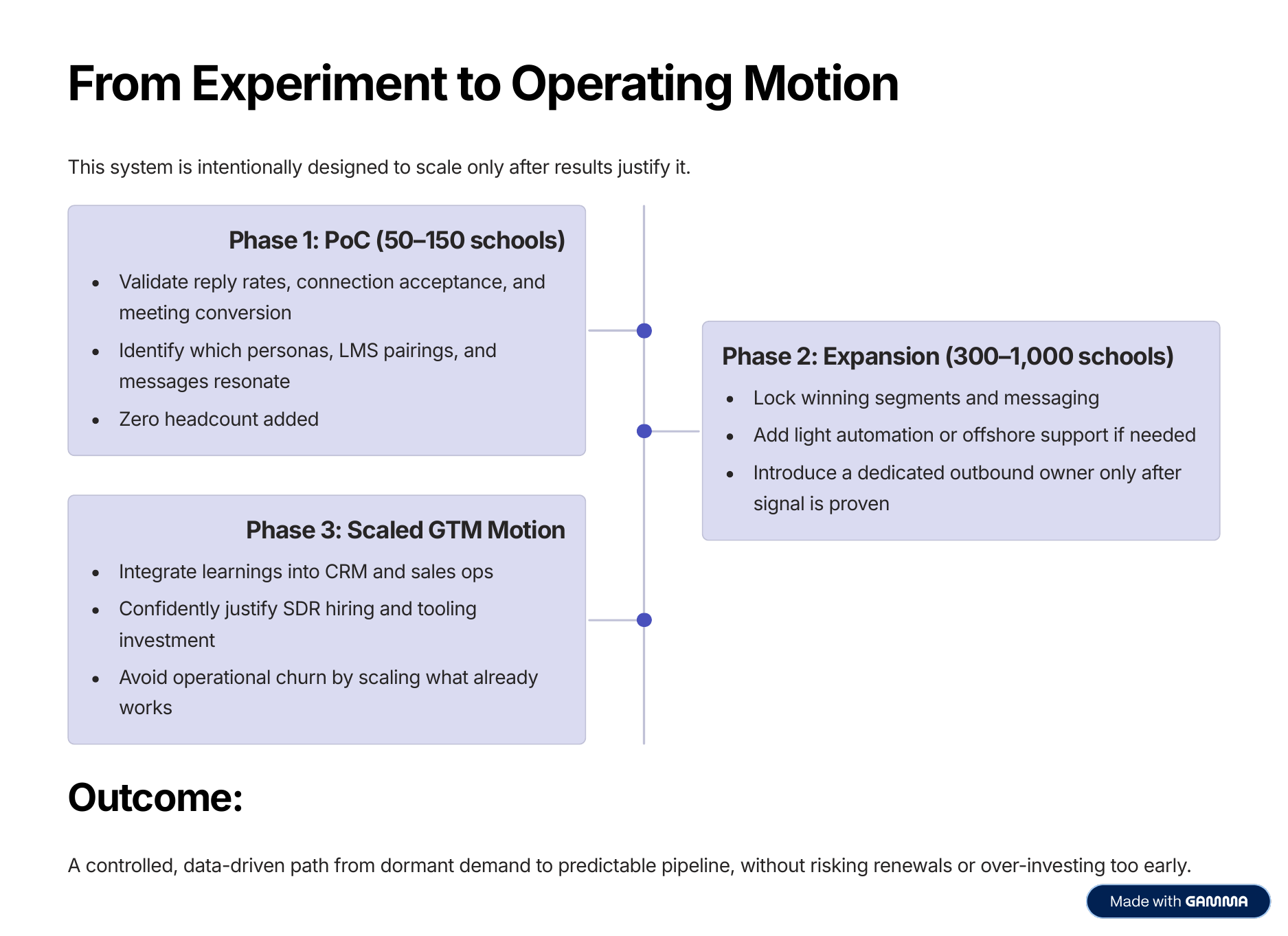
- Phase 1 (50–150 schools): Validate which personas, LMS pairings, and messages convert. Zero headcount added.
- Phase 2 (300–1,000 schools): Lock the winning segments. Add light automation or offshore support only if needed.
- Phase 3: Integrate into CRM and sales ops. Now you can justify SDR hiring and tooling investment — because the data says so.
The pattern underneath
This works for Qwickly because the account signal (LMS), persona signal (instructional technology roles), and product angle (faculty workflow simplification) all line up before a single message goes out.
The same structure applies to almost any vertical GTM motion:
| Motion | Account signal | Persona | Angle | | --- | --- | --- | --- | | EdTech expansion | LMS provider | Academic tech, instructional design | Simplify faculty workflows | | Competitive replacement | Incumbent tool | Admin, ops, system owner | Reduce current workflow pain | | RevOps automation | CRM / tool stack | RevOps, GTM systems | Clean up fragmented tooling | | Security operations | SIEM / cloud logs | Detection, SecOps | Reduce data complexity |
The campaign logic is always the same: account signal → tier → contacts → evidence-based copy → measured sequence. Don't scale before you've proven the signal. Don't enrich before the account has earned it.
The future of list building is not bigger lists. It's smaller lists with better reasons.